

Architecture Layer & Boundary Validation
The Problem
Section titled “The Problem”You inherit a monorepo. The README says “layered architecture” but nobody can tell you:
- What the layers actually are
- Which imports violate layer boundaries
- Where the high-risk, high-impact files live
grep can’t answer these questions. CARI can.
Step 1: Build the Index
Section titled “Step 1: Build the Index”iw initiw index buildThis takes < 3 seconds and produces .iw/index.db with your full import graph.
Step 2: Infer Layers
Section titled “Step 2: Infer Layers”iw index layers-inferCARI topologically sorts your import DAG and buckets files into tiers:
Layer 0 (foundation) — 42 files — types, utilities, constantsLayer 1 (core) — 28 files — database, models, validatorsLayer 2 (application) — 35 files — services, pipeline stagesLayer 3 (interface) — 18 files — API routes, CLI commandsLayer 4 (entry) — 5 files — main, server bootstrapFoundation files (Layer 0) are imported by everything — they’re your highest-risk code if changed. Entry points (Layer 4) import from lower layers but nothing imports them.
Step 3: Check for Violations
Section titled “Step 3: Check for Violations”iw index layers-check⚠ Reverse import: src/models/user.ts (layer 1) imports src/routes/auth.ts (layer 3) — lower layer depends on higher layer
⚠ Reverse import: src/utils/format.ts (layer 0) imports src/services/cache.ts (layer 2) — foundation depends on application layer
✓ 2 violations found (184 imports checked)Each violation tells you the source file, target file, their layers, and why the
import is problematic. Use --allow-skip-layer to only flag reverse imports.
Step 4: Generate the Architecture Report
Section titled “Step 4: Generate the Architecture Report”iw index export --htmlopen architecture.htmlThis generates a standalone, interactive HTML file (~200 KB) with three views:
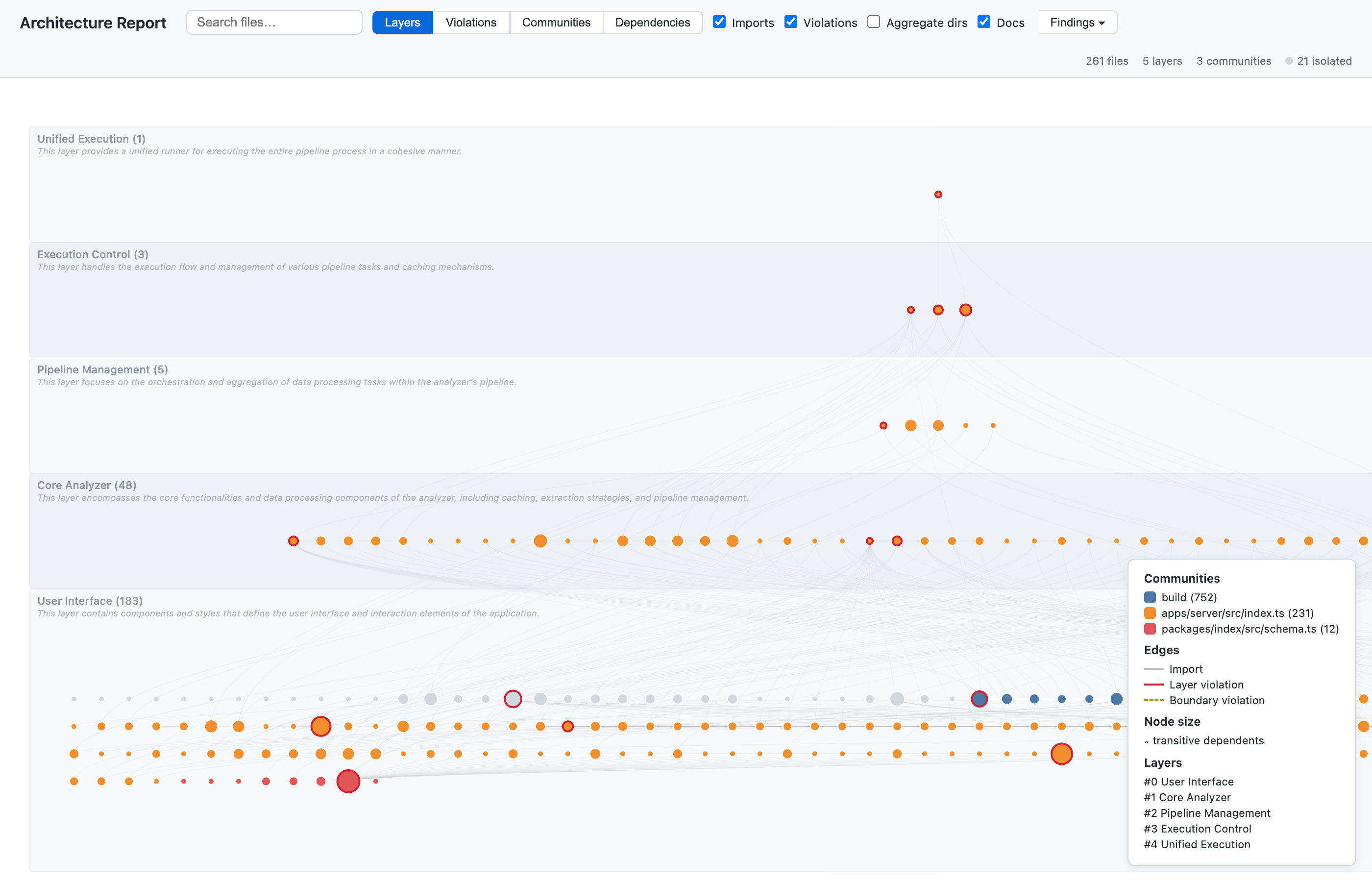
Layers View
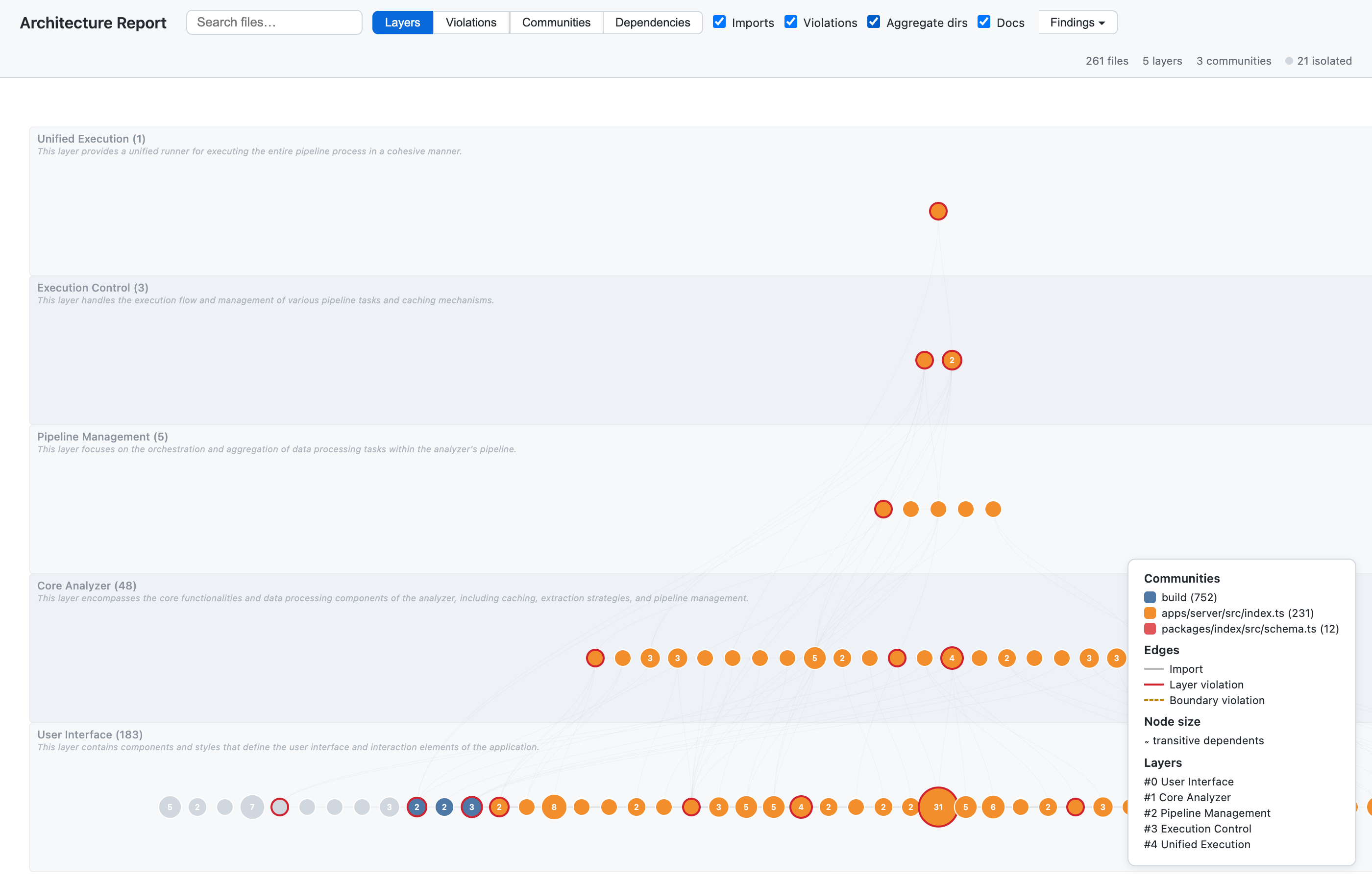
Section titled “Layers View”Files are positioned in their inferred tier — foundation at the bottom, entry points at the top. Import edges flow upward; violations are drawn as red reverse-arrows. Node size reflects transitive dependents: bigger nodes have more downstream impact.
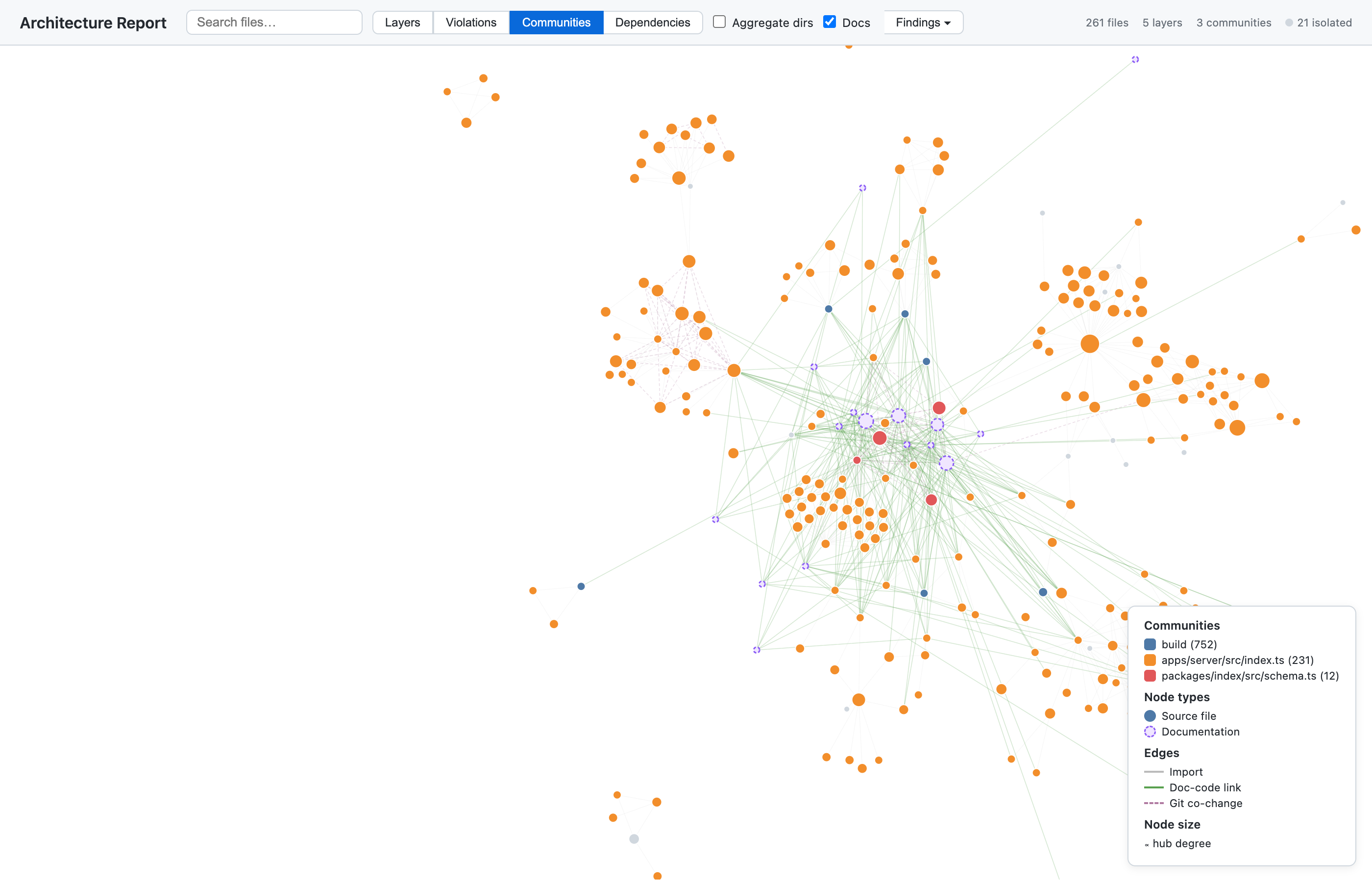
Communities View
Section titled “Communities View”A force-directed layout where files cluster by community membership (detected via label-propagation on the combined import + co-change graph). Clusters are colour-coded. Documentation files appear as purple dashed nodes, linked to their communities.
Use the community mode dropdown (top-right) to switch between three perspectives:
- Structural (default): imports + co-changes — shows functional architecture
- Semantic: full co-occurrence graph — shows conceptual/topical grouping
- Temporal: git co-changes only — shows historically coupled clusters
Click any community in the legend to highlight its vertical slice across all layers, revealing cross-cutting feature concerns.
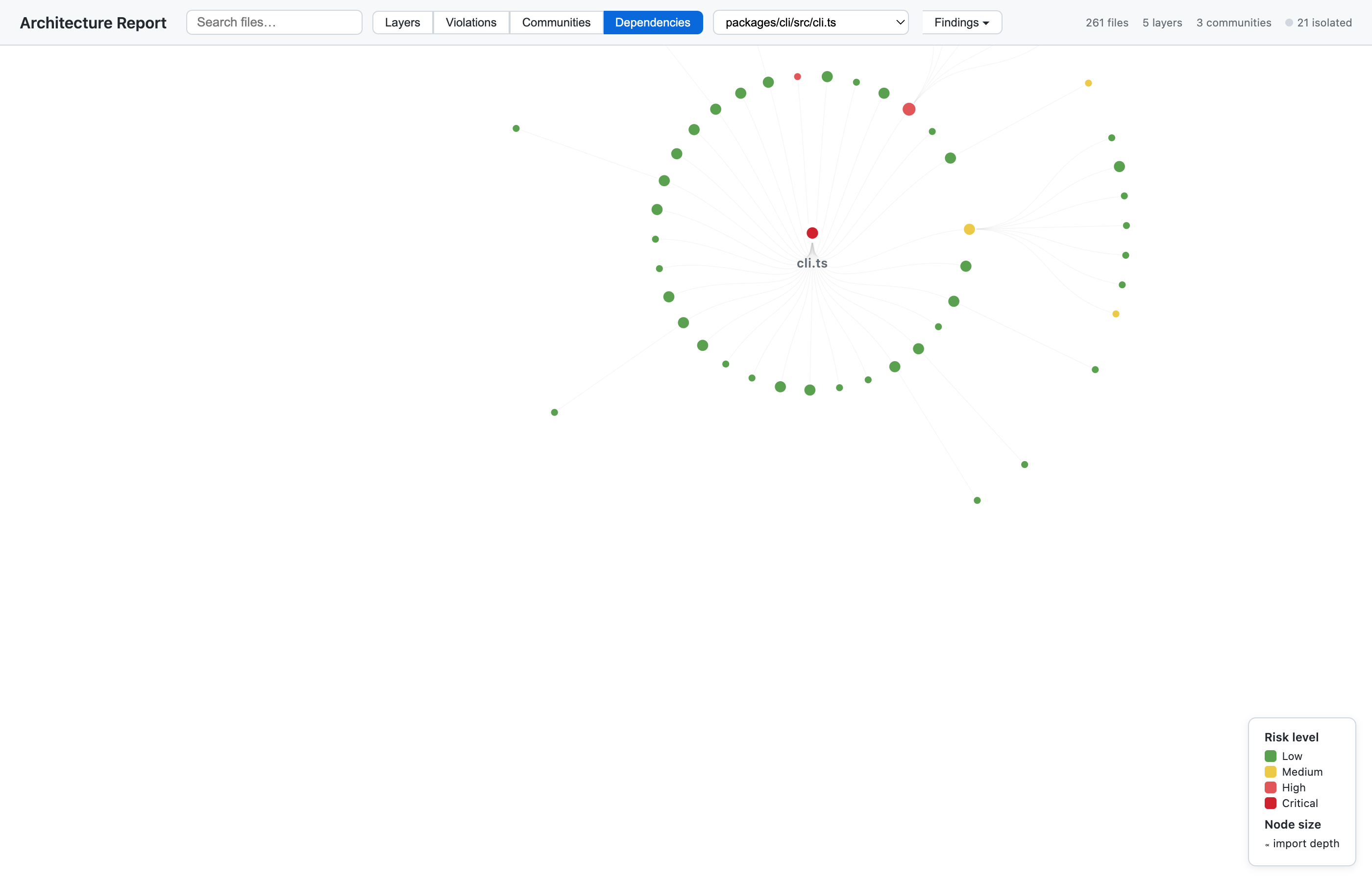
Dependencies View
Section titled “Dependencies View”Select any file as the root. CARI renders its transitive dependency tree with depth and risk highlighting.
All views support: directory aggregation (collapse dozens of files into their parent directory), zoom/pan, edge filtering, search, and hover tooltips showing per-file metrics (depth, dependents, risk, hub degree, community).
Step 5: LLM-Powered Naming (Optional)
Section titled “Step 5: LLM-Powered Naming (Optional)”iw index export --html --provider openai --model gpt-4o-miniWith an OpenAI API key, CARI makes a single LLM call to generate descriptive names for both layers and directories:
| Before (heuristic) | After (LLM) |
|---|---|
commands/ | CLI Subcommands |
stages/ | Pipeline Stages |
queries/ | CARI Query Engine |
| Layer 0: “types, core” | Core Types & Interfaces |
| Layer 2: “stages” | Pipeline Execution |
| Layer 3: “commands” | CLI & MCP Interface |
The report displays LLM-generated names as layer band labels with description subtitles, and as labels for aggregated directory nodes. Tooltips show the description and original directory path.
MCP Integration
Section titled “MCP Integration”All architecture analysis is also available as Copilot tools:
- “What are my architectural layers?” →
cari_layers_infer - “Are there any layer violations?” →
cari_layers_check - “Name my layers with AI” →
cari_layers_name
Next Steps
Section titled “Next Steps”- Ensure Intent in Code — enforce ADRs and automatically validate architecture diagrams
- CARI Overview — understand all 27 query modes
- CI Drift Check — catch layer violations in CI
- CLI Reference — full command documentation